Upload a Document. Ask a Question.
Get Answers With Real Images.
Your team has hundreds of PDF manuals, technical specs, and compliance docs. Nobody reads them. When someone needs an answer, they ask a colleague, open a support ticket, or Google it — and get wrong information. What if they could just upload the document and ask it questions — with diagrams included?
The Documentation Black Hole
Product manuals, technical specs, compliance docs — companies generate thousands of pages that nobody can search effectively. Traditional search finds keywords but misses context. Users need to know which page, which diagram, which step — not just which document. And when the documentation includes diagrams and images? Regular search completely ignores visual content.
AI That Reads, Sees, and Answers — In Your Language
KnowledgeBase Pro ingests any PDF — extracts text, detects embedded images, annotates every diagram with AI vision, and stores everything in a vector database. When you ask a question, the AI searches both text and images simultaneously, returning precise answers with inline diagrams from the original manual. Ask in English, Ukrainian, or Spanish — get the answer in your language with the exact relevant images.
Real-World Example: Upload Any Product Manual
Ask in Any Language — Get Steps + Diagrams
This system was tested with Apple AirPods, AirTag, HomePod, GoPro HERO, and Beats Studio manuals. Every question returns precise text answers with relevant images from the PDF.
Your Documents Finally Talk Back
Upload once. Ask forever. Text + images, any language.
One-Click Document Onboarding
Any team member uploads a document — PDF, DOCX, PPTX, or even a scanned image — and the knowledge base builds itself. Text is extracted, images are annotated by AI vision, everything is indexed. No IT involvement, no manual tagging.
Visual Search — Text + Diagrams in One Answer
Employees ask a question and get precise answers with the exact diagram from the original document. No more scrolling through 50-page PDFs to find one wiring diagram or assembly step.
Multilingual Teams — One Knowledge Base
Your documentation is in English but your field team speaks Spanish? They ask in Spanish, get the answer in Spanish — with the same technical diagrams. Works in any language. Tested: EN, UA, ES, DE, FR, JP.
Zero Hallucinations — Only Verified Content
The AI strictly answers from uploaded documents only. If the answer is not in the knowledge base, it says so and suggests rephrasing. Critical for compliance-sensitive industries where wrong information has real consequences.
See It In Action: Document Upload → Vector Database
Send a PDF, DOCX, or PPTX via Telegram. The system extracts text, annotates images with AI vision, and stores everything in a searchable vector database.
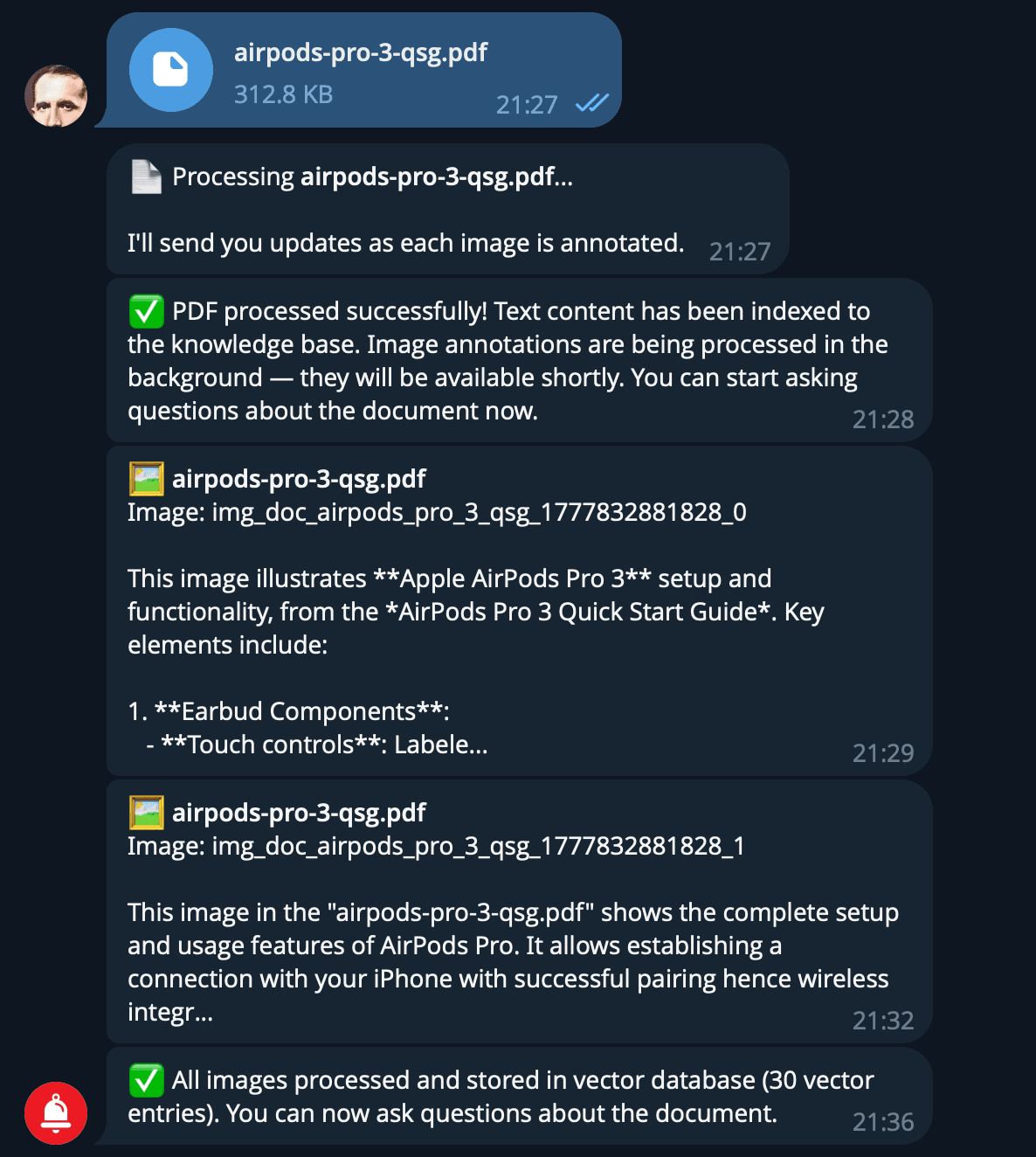
AirPods Pro 3 manual: 2 images annotated, 30 vector entries created
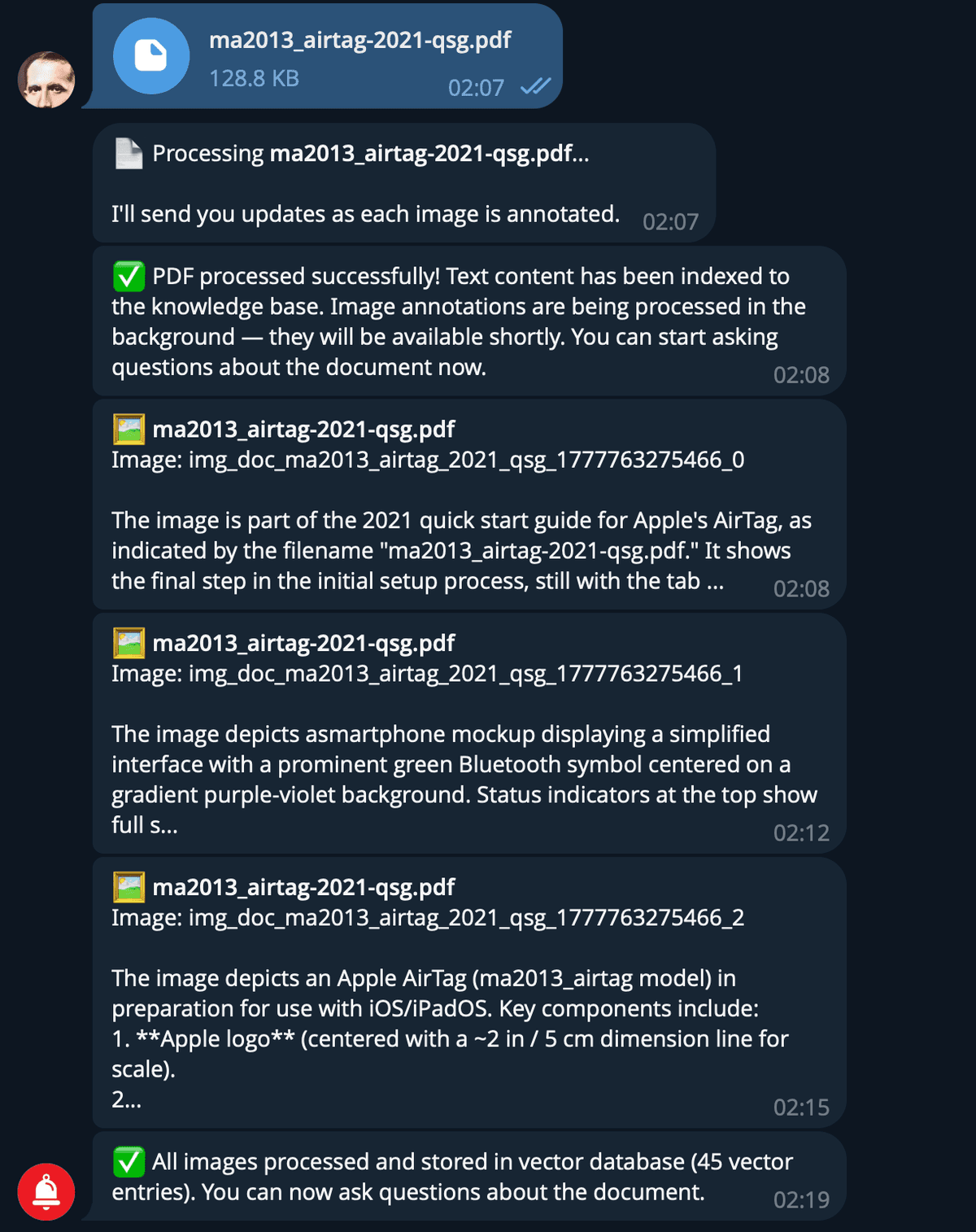
AirTag manual: 3 images annotated, 45 vector entries created
Ask in Any Language — Get Answers With Diagrams
The AI searches text and images simultaneously, responds in your language, and includes relevant diagrams from the original PDF.
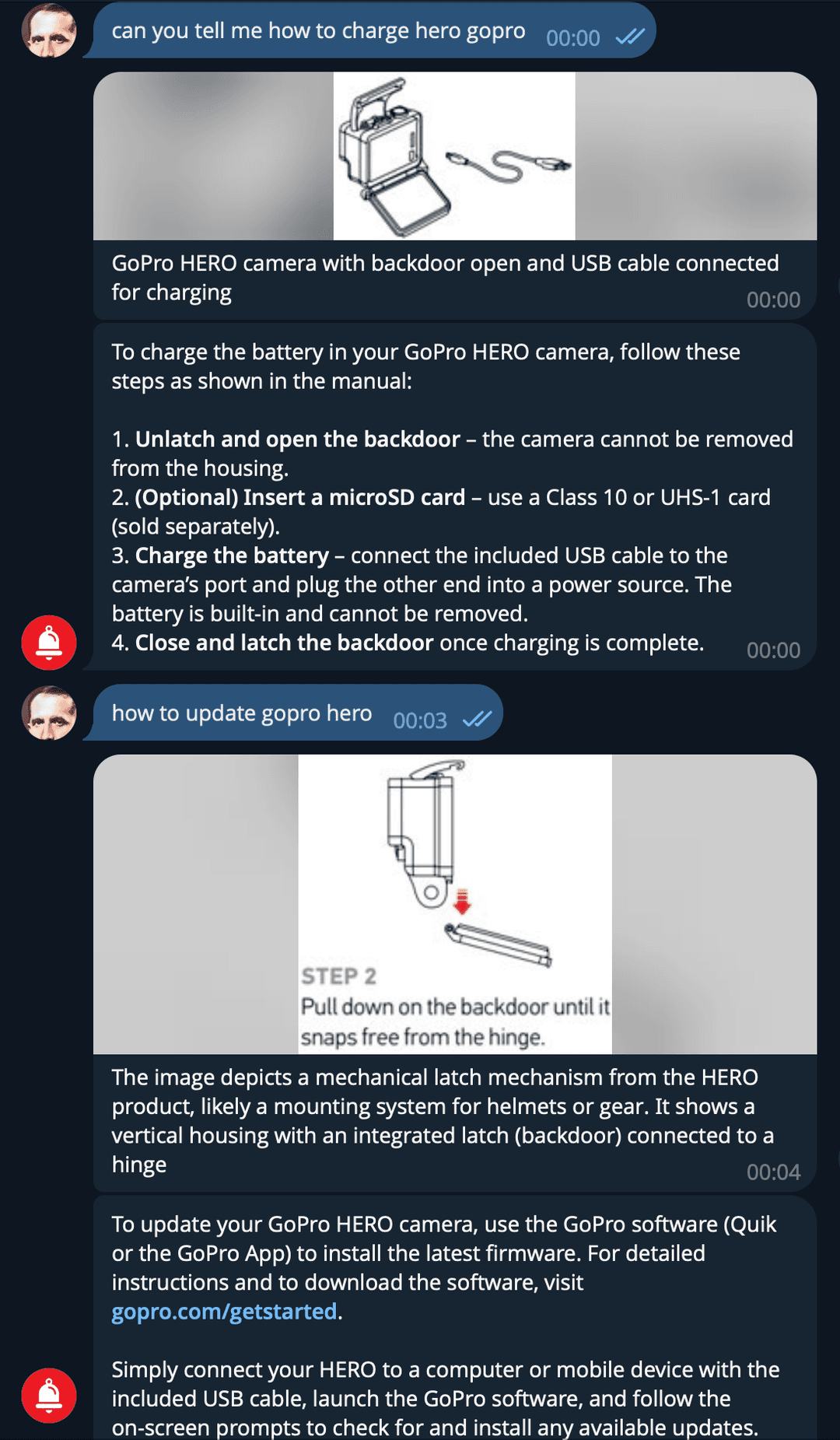
EN · GoPro charging + update — two queries, two diagrams
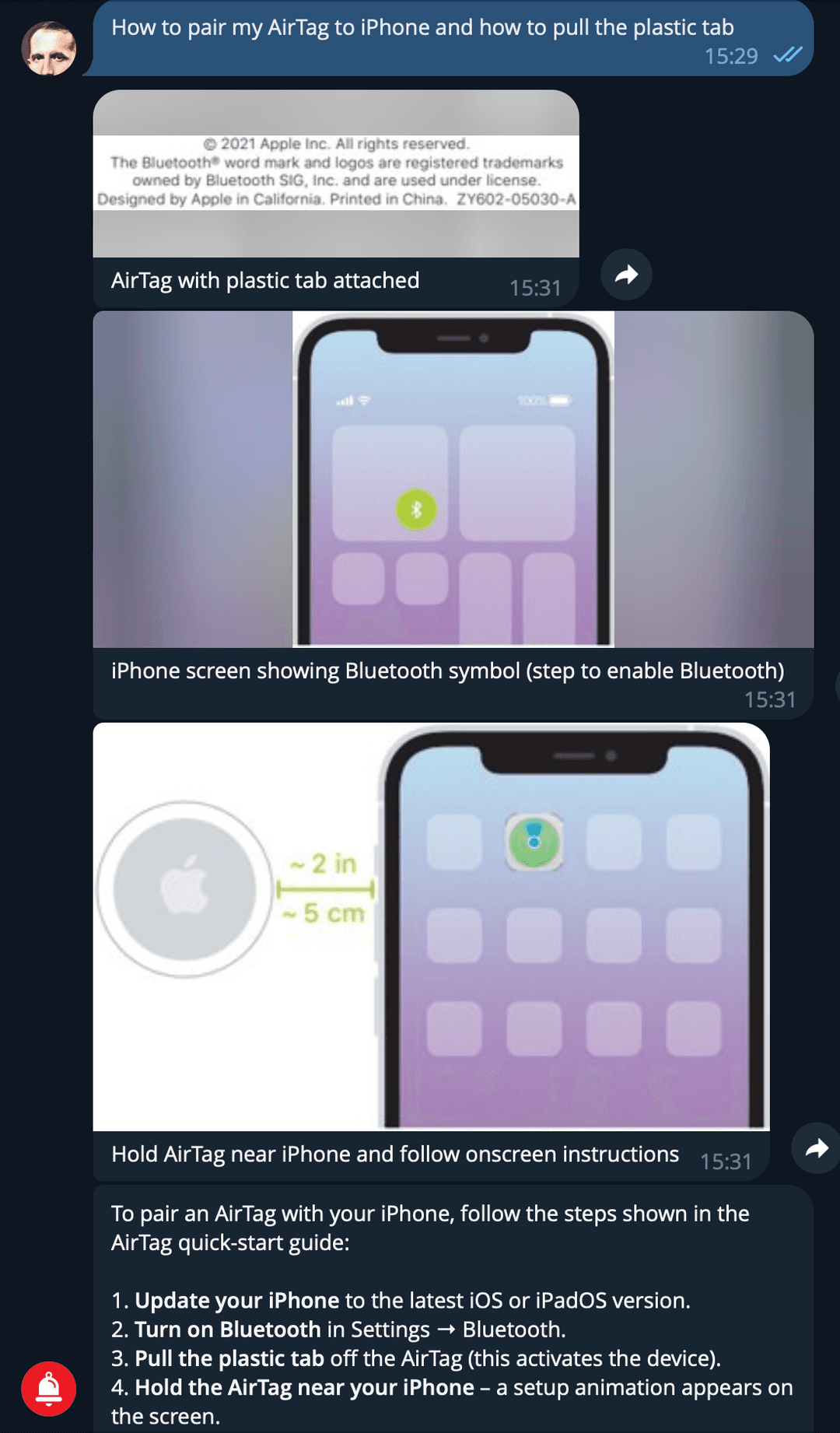
EN · AirTag pairing — 3 images + step-by-step
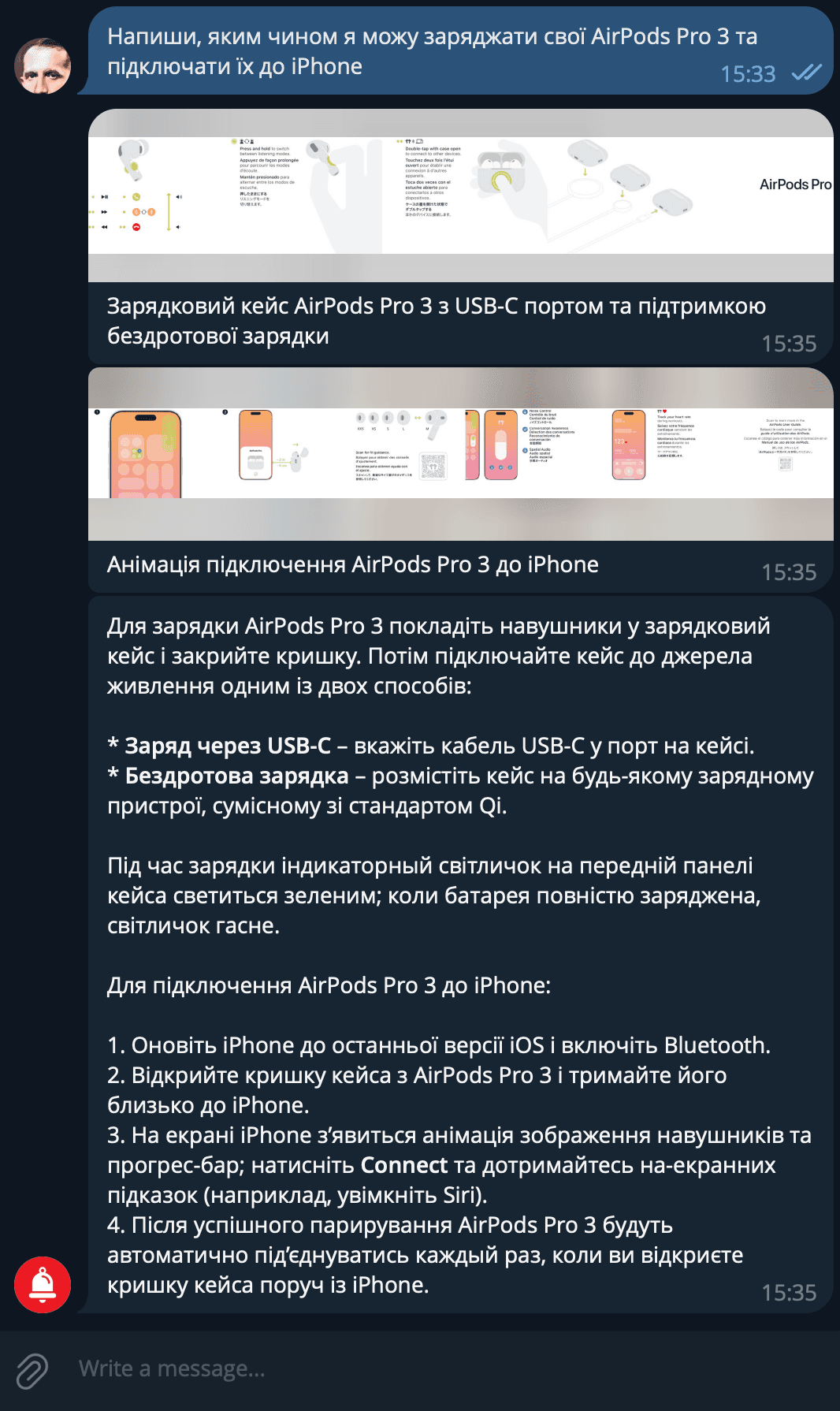
UA · AirPods Pro 3 charging + pairing — Ukrainian
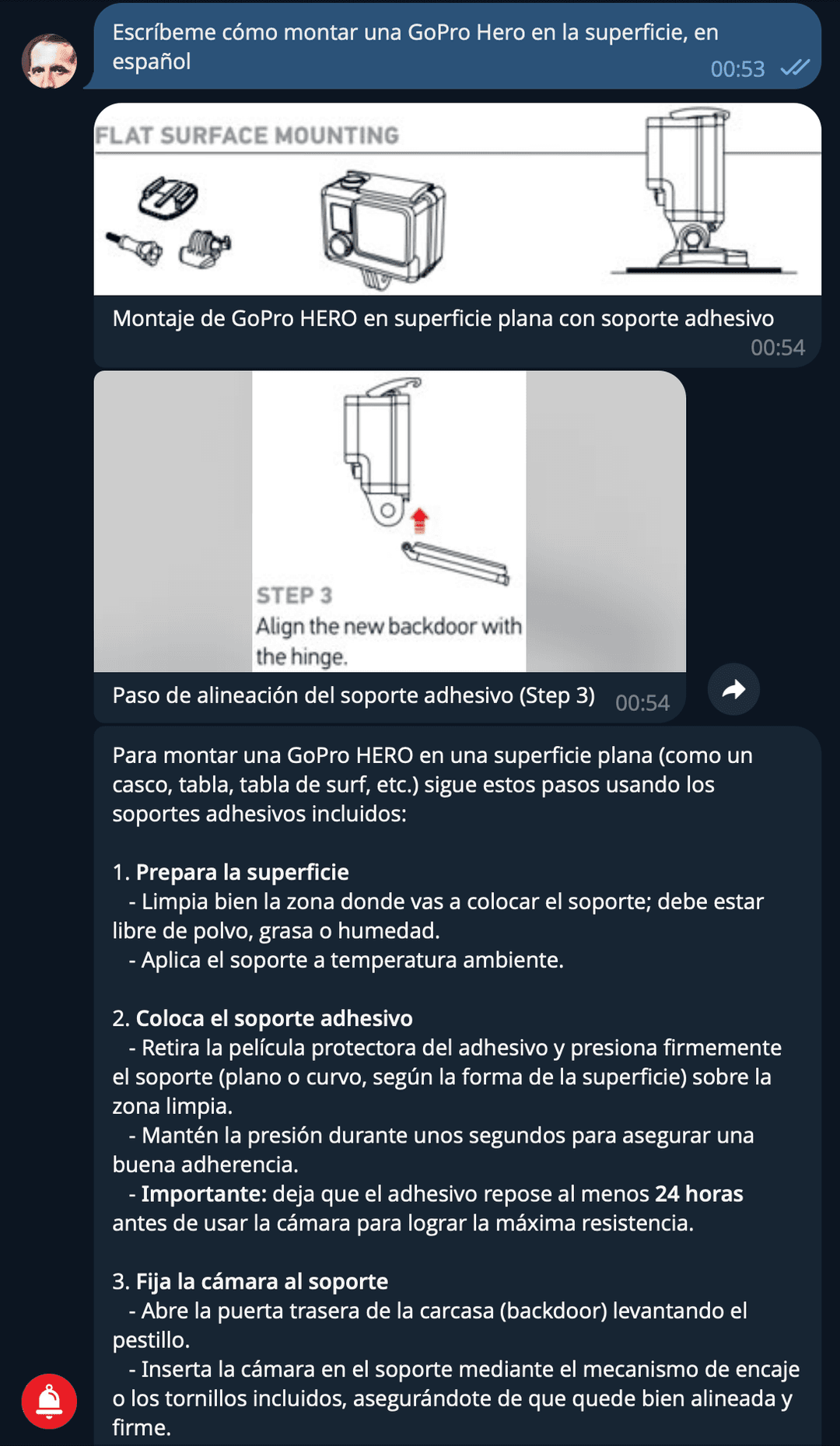
ES · GoPro mounting — Spanish response
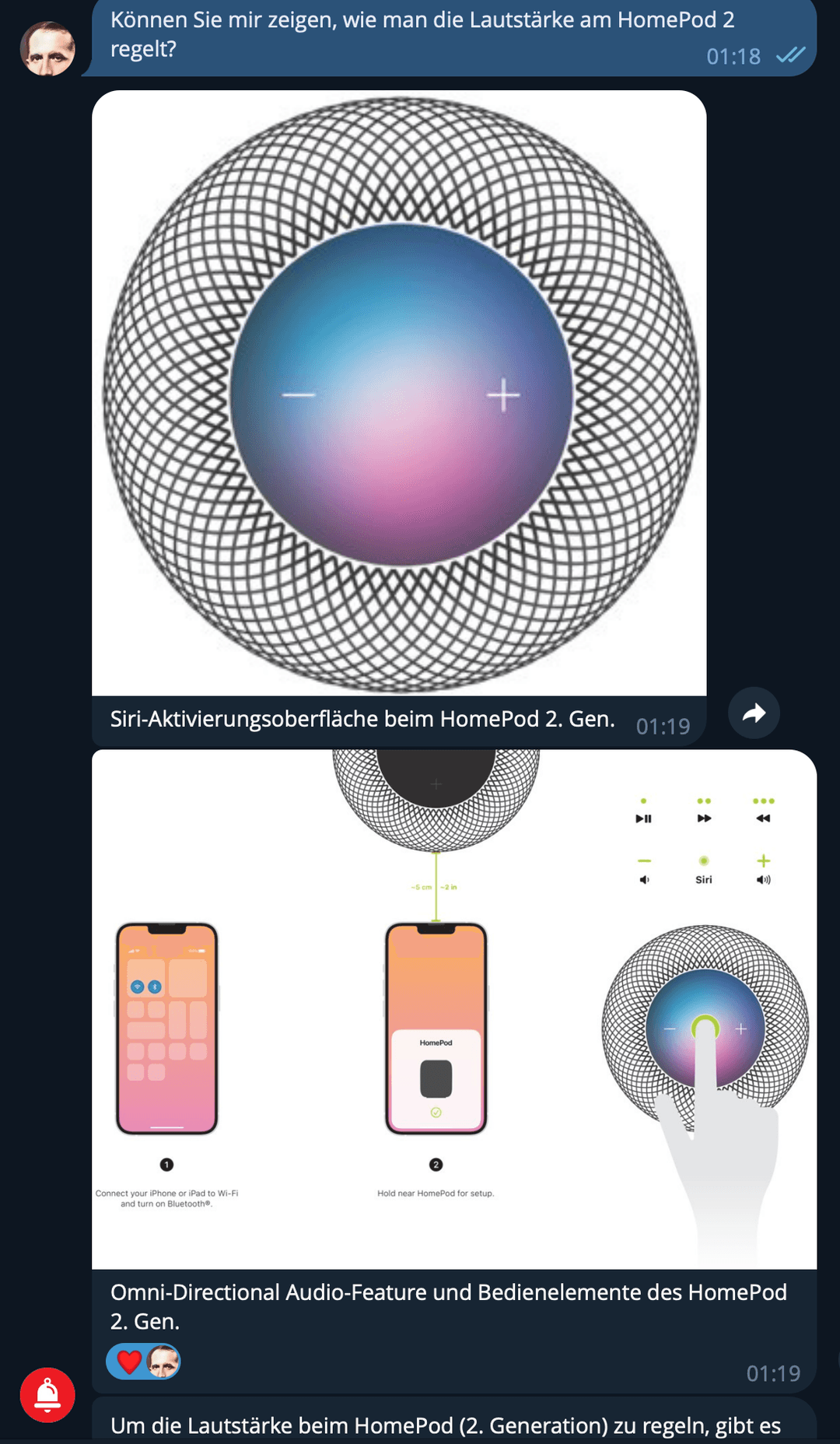
DE · HomePod volume — German response
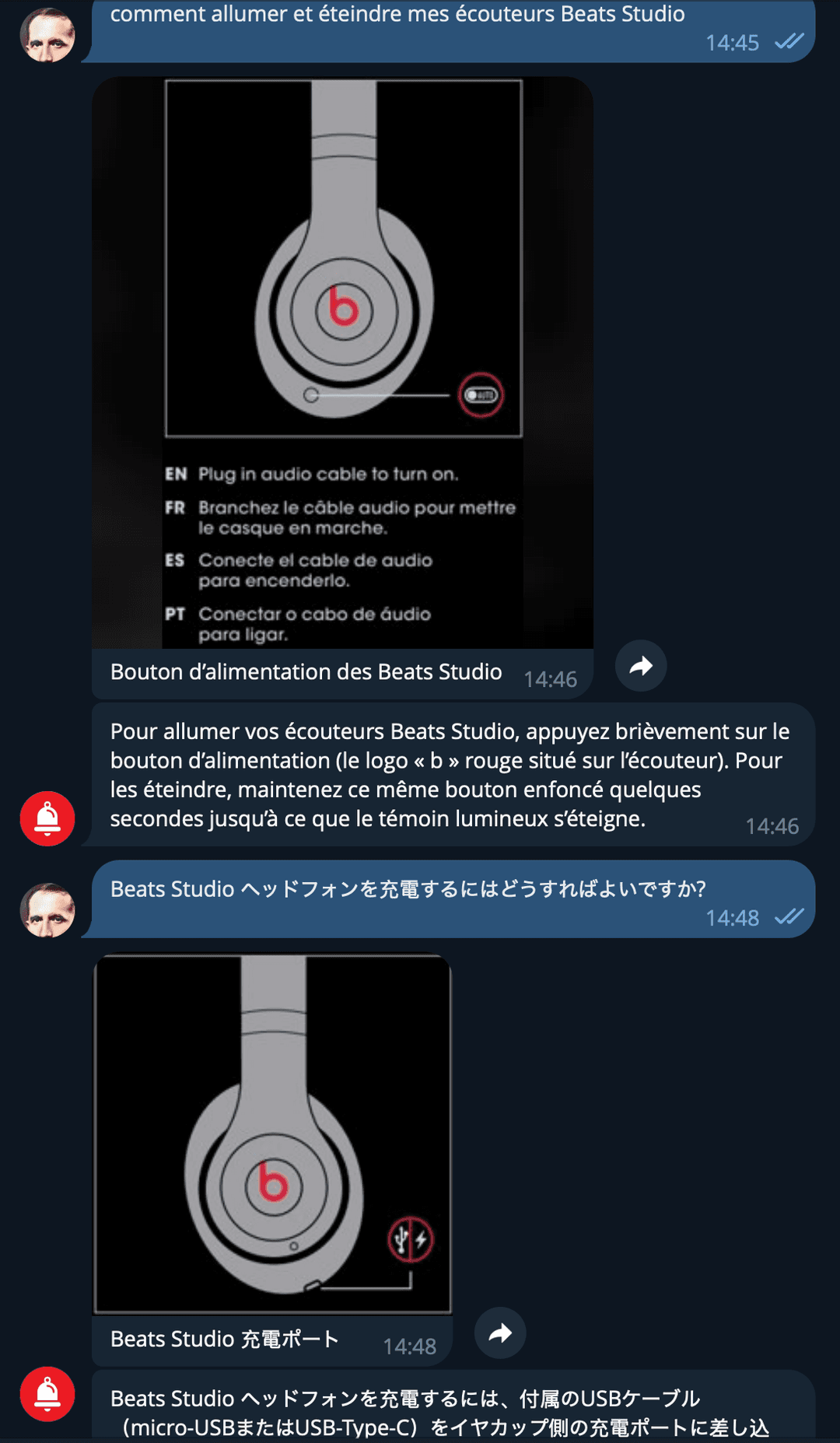
FR + JP · Beats Studio — French & Japanese on same manual
Two Steps to Transform Your Documentation
Step 1: Upload
Send any document — PDF, DOCX, PPTX — to the bot. Text is extracted, images are annotated by AI, everything is stored in a vector database. Takes under 2 minutes.
Step 2: Ask
Ask any question in any language. Get a precise answer with diagrams from the original document. Your team stops searching — they start asking.
Built for Real Business Problems
From field technicians to legal teams — any department that works with documentation benefits immediately
Product & Equipment Manuals
Field technicians upload equipment manuals and get instant troubleshooting answers with diagrams — in their language, on their phone.
Compliance & Legal Documentation
Legal teams query regulatory documents and get precise answers with exact clause references. No hallucinated legal advice — only what the document says.
Internal IT & HR Knowledge Base
Employees ask "how to set up VPN" or "what is the PTO policy" and get step-by-step answers from your internal documentation — 24/7, no ticket needed.
Training & Onboarding Materials
New hires upload training PDFs and ask questions as they learn. The AI becomes their personal tutor that knows every page of every manual.
Deploy Where Your Team Already Works
This demo uses Telegram and n8n web chat — but the same AI knowledge base integrates with any platform your team uses
Telegram
Upload PDFs + ask questions via bot — ideal for mobile-first teams and field workers
Web Chat Widget
Embed on your company website or portal — customers self-serve from your documentation
Slack
Query your knowledge base directly from Slack channels — answers appear in threads
Microsoft Teams
Integrate with Teams for enterprise environments — adaptive cards with images
Perfect for customer support — users send questions and get visual answers on WhatsApp
Company Portal
Custom integration via API — embed the knowledge base into any internal tool or CRM
How It Works: 6-Phase Pipeline
From PDF upload to AI-powered answers — fully automated, zero manual steps
PDF Upload
Send a PDF via Telegram or web chat. System detects file and starts processing.
Text & Image Extraction
Docling parses the PDF — extracts all text passages and detects embedded images.
AI Image Annotation
Each image is analyzed by AI vision (Gemma 4) to generate a text description for search.
Vector Storage
Text chunks + image annotations are embedded (BAAI/bge-large) and stored in Supabase pgvector.
Semantic Search
User question triggers dual vector search — finds relevant text AND matching images simultaneously.
AI Response
LLM composes an answer using only search results — includes inline images from the original PDF.
Real Example: GoPro HERO Manual — 22 Images, 330 Vector Entries
Full ingestion flow: PDF upload → text extraction → AI vision annotates every diagram → all stored in vector database
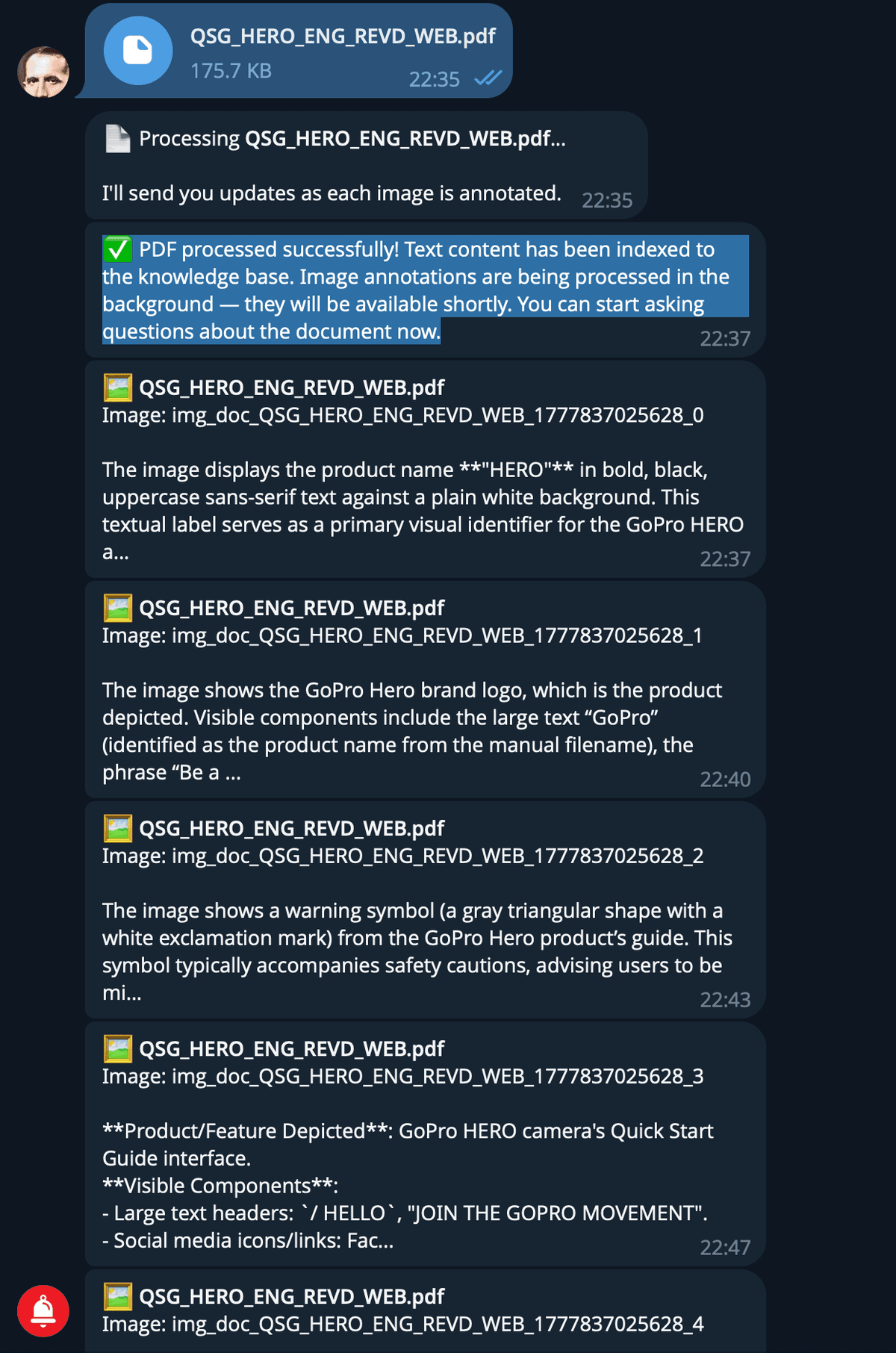
Upload → text indexed → AI annotates each image one by one
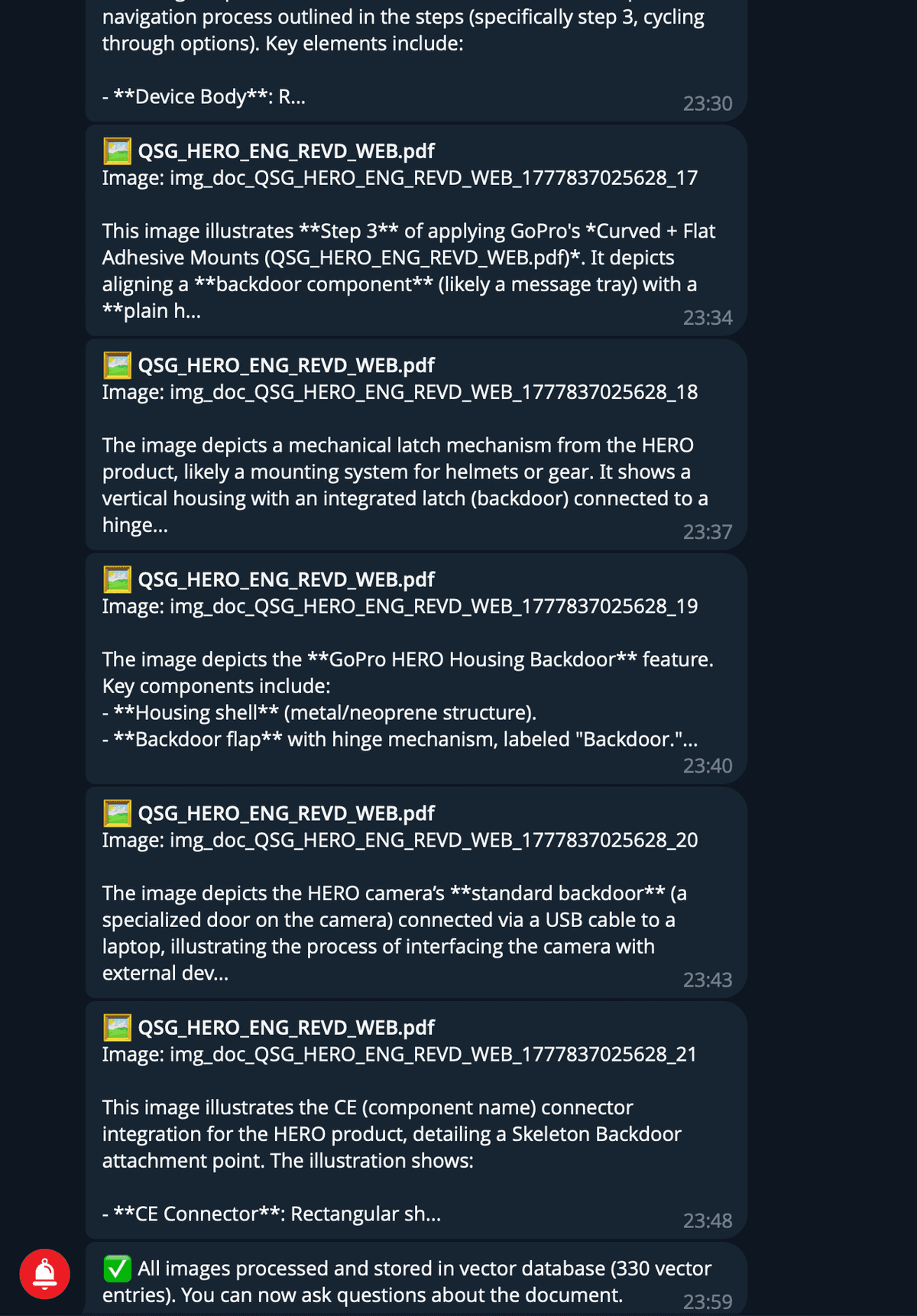
All 22 images annotated → 330 vector entries → ready for questions
Technology Stack
Open-source foundation — no vendor lock-in, fully self-hosted
Success Story: Product Manual Knowledge Base
How we turned static PDF manuals into an intelligent, multilingual Q&A system
Challenge Solved
- Users couldn't find specific steps or diagrams in PDF manuals
- Traditional search ignored images and diagrams entirely
- Non-English speakers had no way to query English-only manuals
- Support teams answered the same questions repeatedly
Technology Stack
Your Documents Deserve Better Than Ctrl+F
This multimodal RAG system was built with n8n, Supabase pgvector, and OpenRouter. Want a similar knowledge base for your team?
Build Your Custom Knowledge Base
PDF, DOCX, PPTX. Any language. Any chat platform.
Free 30-minute consultation | Custom solution design | Self-hosted & secure